Conditional logic
Conditional logic that keeps every waiver short enough to finish
People only see the questions that apply to them. Show, hide or require any question based on an earlier answer.
No card needed, and you’ll be signing waivers within minutes.
- Rules run on the device, so they work offline
- The same rules on share links people open on their own phones
- Works with no signal
- UK company, UK and EU data
- iPhone, iPad and Android apps
- Free for 25 waivers a month
Ask each person only what they need to answer
Shorter forms get finished, and staff at a busy desk spend less time explaining which questions to skip.
-
Medical detail only when it’s needed
The medical detail box stays out of the way unless someone says they have a condition.
-
A guardian only for minors
Ask “Are you under 18?” and show the parent or guardian questions only to the people who need them.
Group and family waivers -
Kit sizes only for hirers
Ask for equipment sizes only from people who are hiring kit.
Required only when it matters, never a dead end
The require action makes a question mandatory only when its rules match, and never makes an always-required question optional. Hidden questions are never checked as required, and the server applies the same rules as the form, so nobody gets stuck on a question they can’t see.
Custom form builder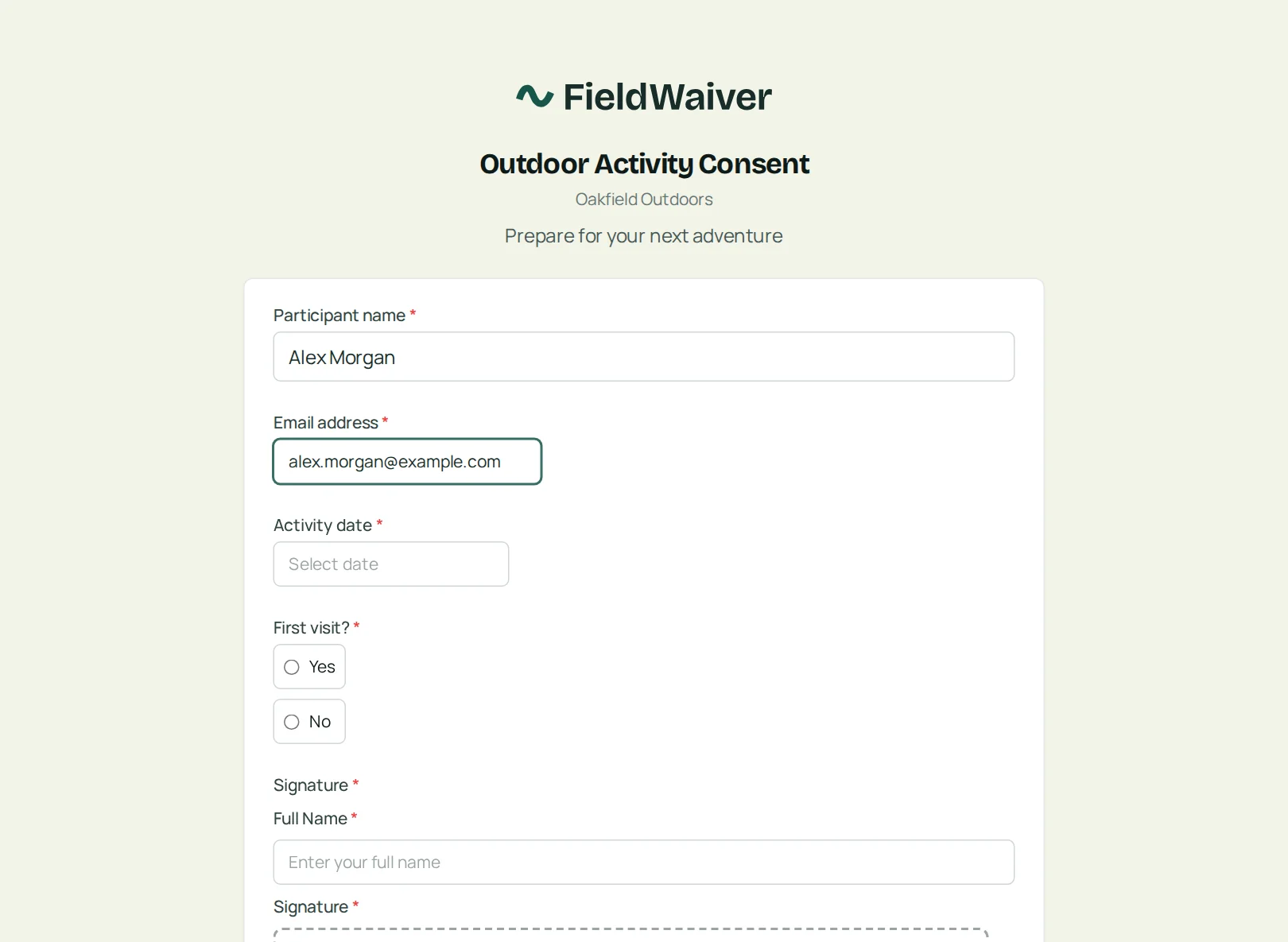
Rules for every kind of answer
- Text
- You can check whether the answer
equals, does not equal, contains, does not contain, is empty or is not empty - Number
- You can check whether the answer
is greater than, less than, greater than or equal to, less than or equal to, or between two values - Date
- You can check whether the answer
is before, after, on or before, on or after, or between two dates
Match all of a question’s rules, or any one of them. Conditions come with the form builder rather than as a paid add-on, see prices.
Add your first condition in minutes
-
Pick the question
Open the form in the builder and select the question that should change.
-
Choose the action
Show it, hide it or make it required.
-
Set the rule
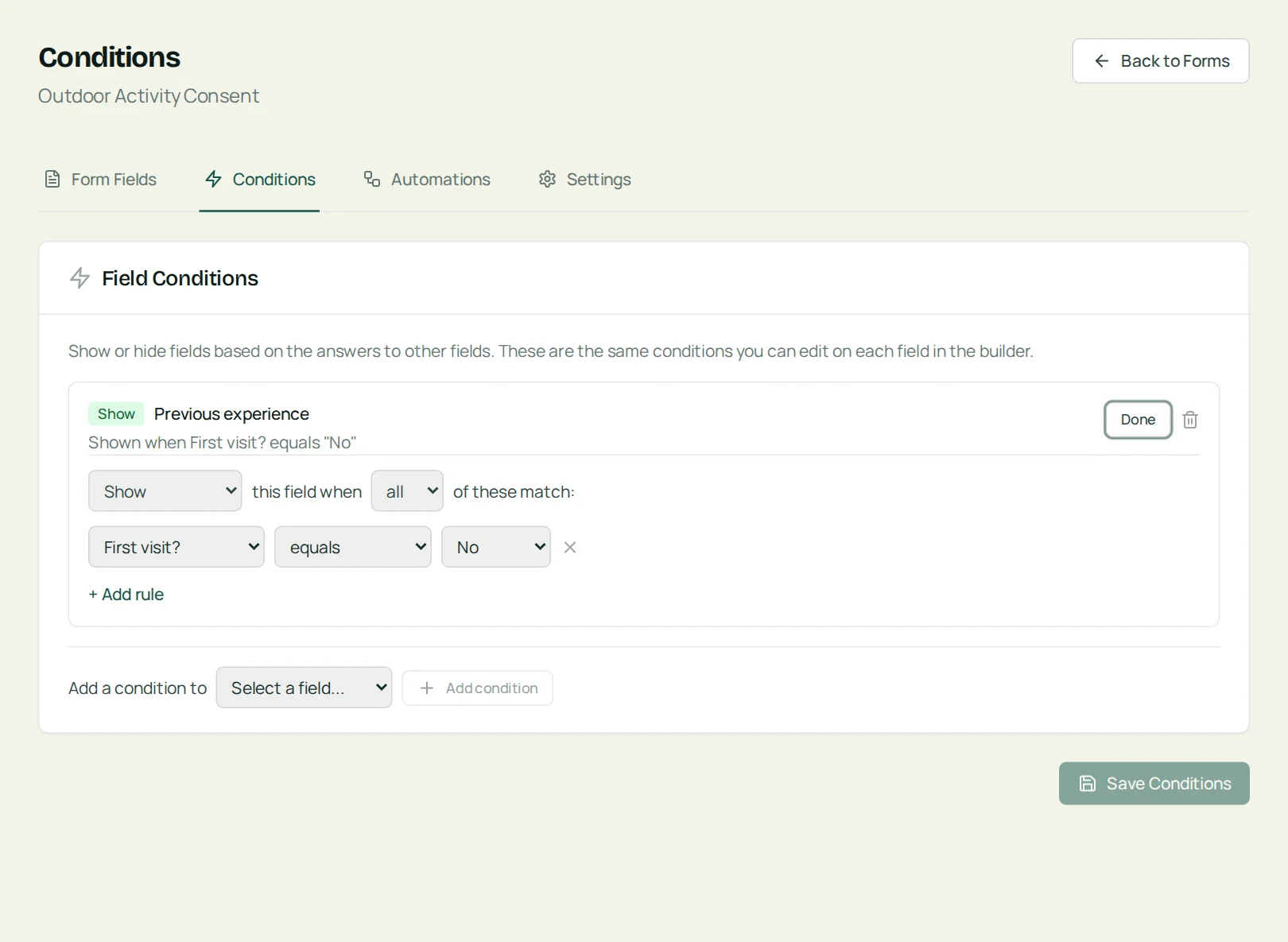
Pick an earlier question, an operator and a value, such as Age is less than 18. Add more rules if you need them.
-
Check it reads right
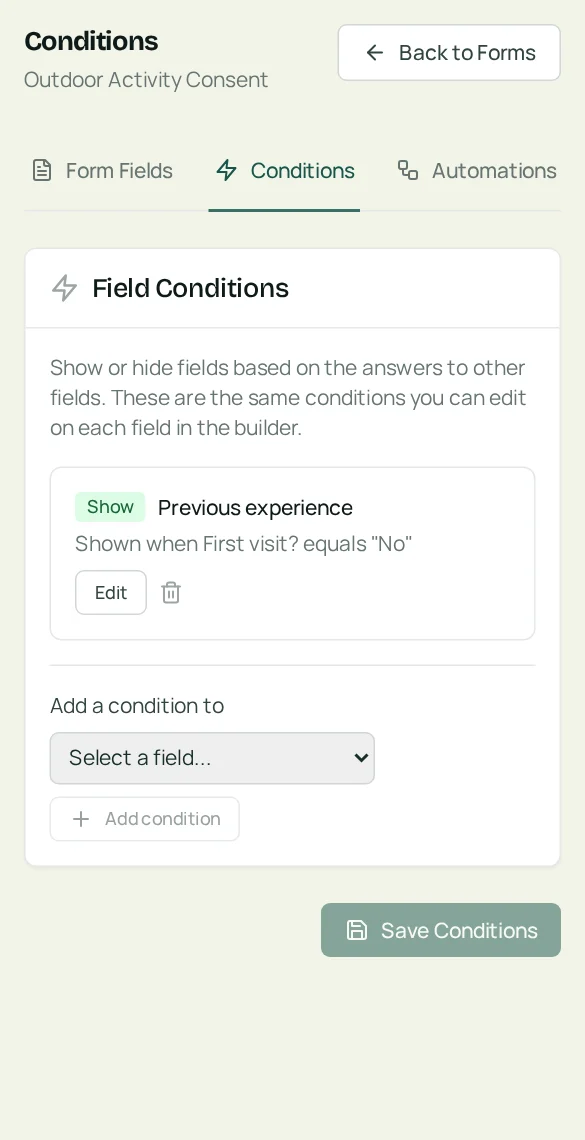
The Conditions view lists every rule on the form in plain English. Then try the form yourself.
Questions people ask
Something else? Ask us and we’ll reply within one working day, usually the same day.
Which questions can a rule check?
Text, number, email, phone, single and multiple choice, date, file, image and signature questions. File, image and signature questions can be checked for whether they are empty.
Can a hidden question stop someone submitting?
No. Hidden questions are skipped when required fields are checked, on the device and on the server.
Can conditions trigger an email?
Field conditions only change the form. To act on an answer, use form automations, which use the same rules.
Support
Help from a UK team, whenever you need it
Ask from any screen in the app and we reply within one working day, usually the same day. Free plan included.
Switch without starting from scratch
Send us the paper, PDF or Word waiver you use now and we’ll set it up as a form for you, free.
Build a waiver people actually finish
Start free and add your first condition to your own form in the builder.
Free for 25 waivers a month for as long as you like, with no card needed.