Share links and QR codes
Share links and QR codes that get waivers signed before people arrive
Put a link in your booking email or a QR code by the entrance, and people sign on their own phone before they reach you. Your check‑in queue gets shorter straight away.
No card needed, and you’ll be signing waivers within minutes.
- No account needed, the link is all they need
- Optional expiry date and use limit on each link
- Switch a link off, back on or delete it any time
- Works with no signal
- UK company, UK and EU data
- iPhone, iPad and Android apps
- Free for 25 waivers a month
Every signature lands where you need it
-
A link and QR code for any form
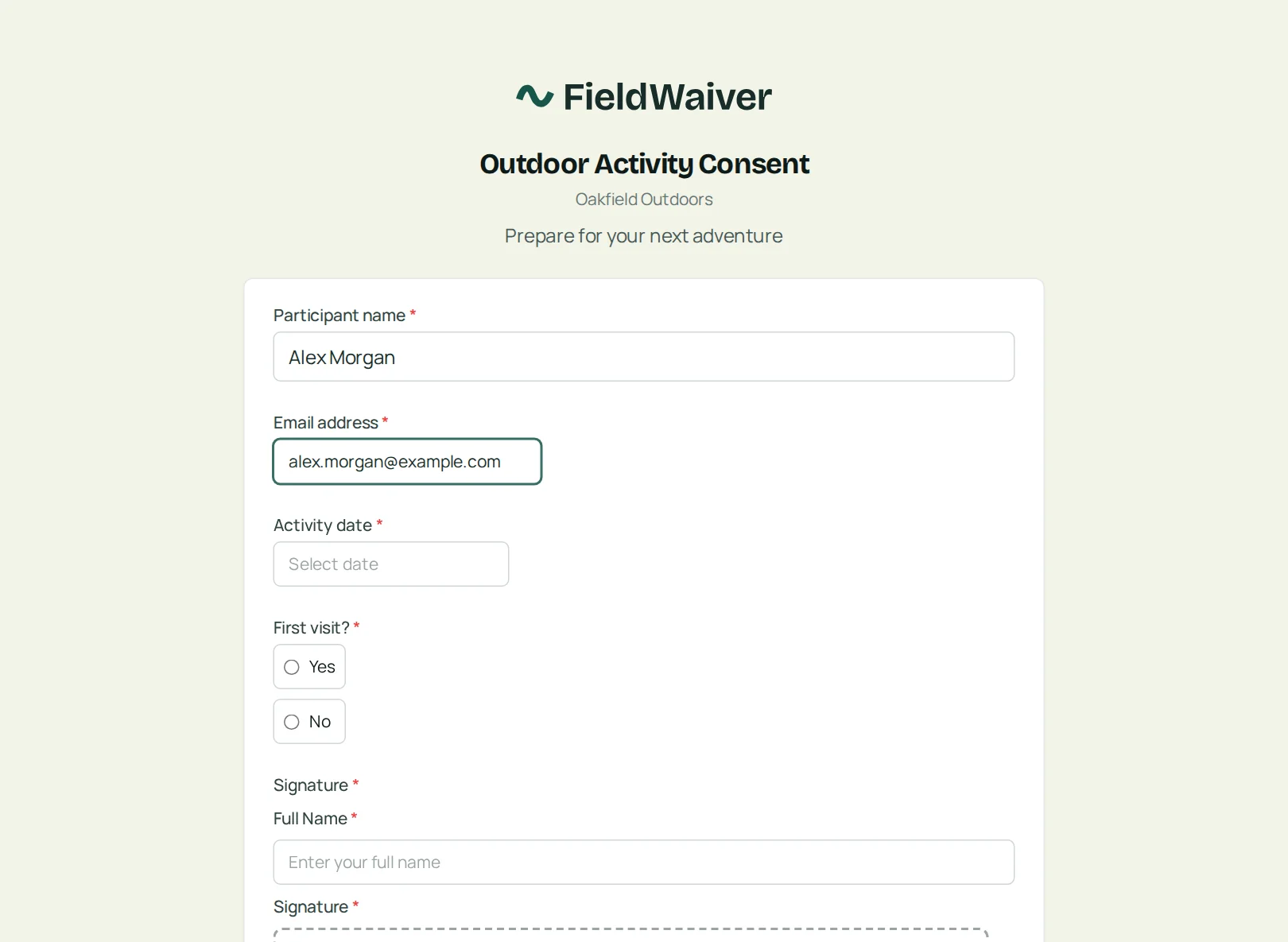
Copy a public link for any of your forms, or show its QR code and print it on a sign.
-
Filed under the right event
Each link saves its waivers into the collection you chose when you made it, so there’s nothing to sort later.
Collections for events and jobs -
Know which link they used
Give a link a label such as "Pre‑arrival email" and filter submissions by it. On Pro and Business, analytics shows how often each link was used.
-
Signs with no signal
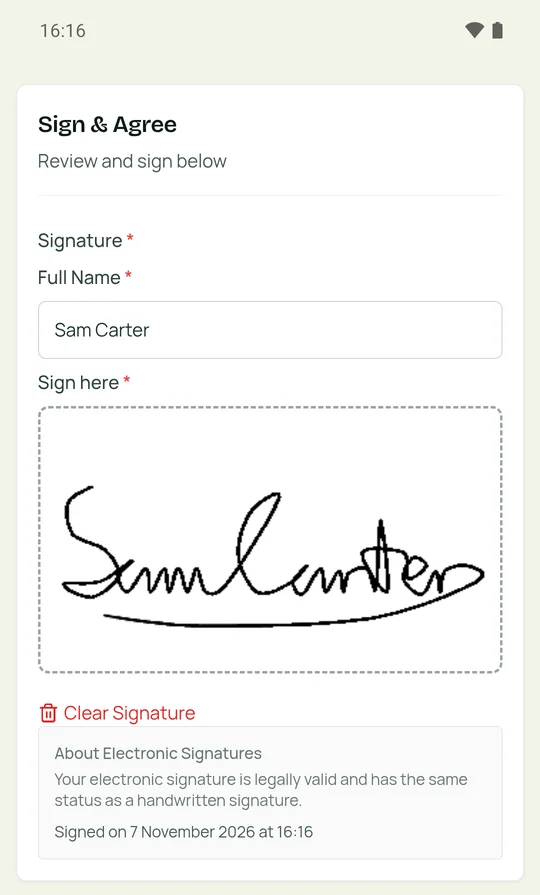
Once someone has opened your link, they can sign it on their own phone with no signal, photos and all. The waiver waits on their phone and sends itself once, and in full, when they have signal again. A reload loses nothing either.
Offline waivers -
A copy for the signer
People can ask for an emailed copy of the waiver they signed.
Email notifications and receipts -
Repeat signers spotted
On forms with an email field, someone whose address has already completed the form gets a gentle warning first.
Shorten the queue before anyone arrives
Getting waivers signed before arrival is the biggest single way to shorten a check‑in queue. Use a mix of routes and almost nobody reaches your desk unsigned.
- A link in the booking email gets most people signed at home.
- A QR code at the entrance catches the rest on their own phones.
- A tablet in kiosk mode covers anyone without a phone, and keeps working with no signal.
Send your first link today
-
Create a link
An organisation owner opens the form’s share options and creates a link.
-
Choose where it goes
Pick the collection the waivers go into, and add a label or limits if you want them.
-
Send it or print it
Copy the link into your booking emails or display its QR code.
-
People sign on their own phone
They complete the form and tick consent if your form asks for it, with or without signal once the link has opened.
Good to know before you send a link
- Counts towards your allowanceEach submission through a link counts towards your monthly plan allowance.
- Uploads up to 10MBSigners can upload files of up to 10MB each on public forms.
- Closed links say soA link that is switched off, expired or at its use limit shows a clear message instead of the form.
- Your logo on Pro and BusinessOn Pro and Business the public form shows your organisation’s logo, if you have uploaded one.
Questions people ask
Something else? Ask us and we’ll reply within one working day, usually the same day.
Do participants need an account?
No. The link is all they need.
Can I stop a link after an event?
Yes. Switch it off at any time, or set an expiry date when you create it.
Will a duplicate block someone?
No. If the email address has already completed the form, they see a notice and can confirm and submit anyway.
You may also need
- Check-in tablet kiosk mode Self-service signing at your desk. Find out more
- Phone and tablet apps For iPhone, iPad and Android. Find out more
- Email notifications and receipts Copies for signers and your team. Find out more
- Collections for events and jobs Keep each event’s waivers together. Find out more
Support
Help from a UK team, whenever you need it
Ask from any screen in the app and we reply within one working day, usually the same day. Free plan included.
Switch without starting from scratch
Send us the paper, PDF or Word waiver you use now and we’ll set it up as a form for you, free.
Get your next group signed before they set off
Make a share link for your own waiver and send it with your next booking.
Free for 25 waivers a month for as long as you like, with no card needed.