Import a PDF or Word waiver
Convert a PDF waiver to a fillable online form people can sign
Upload the waiver your solicitor or insurer already approved. FieldWaiver copies the wording in word for word and turns the Name, Email, Phone and Date of birth lines at the end into fields, so customers can sign it on their phone or your tablet the same day.
No card needed, and you’ll be signing waivers within minutes.
- PDF or Word (.docx) files up to 20 MB
- Scanned PDFs work too
- On every plan, word for word

- Works with no signal
- UK company, UK and EU data
- iPhone, iPad and Android apps
- Free for 25 waivers a month
Keep the waiver you trust, lose the paper
-
Your approved wording, untouched
Retyping a waiver invites mistakes in exactly the clauses that matter. Importing keeps every word, heading and clause number as your adviser signed it off.
-
Live in minutes, not an afternoon
Go from the paper form on your desk to a waiver people can sign, without copying a page at a time or rebuilding a fillable PDF in Acrobat.
-
The form is already set up
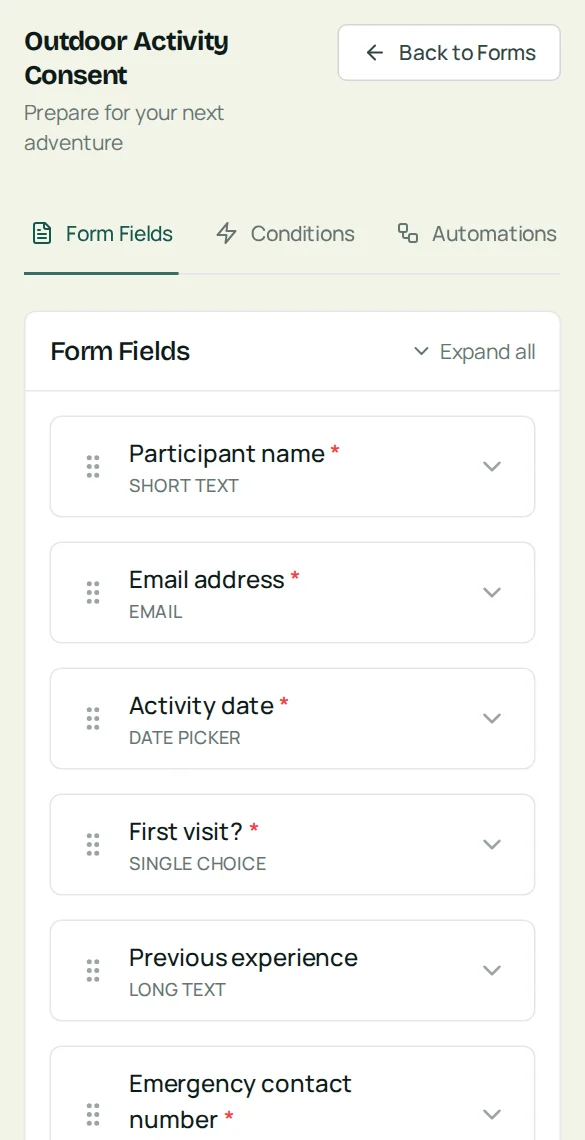
The fill-in lines become proper fields, with an email field for email and a date picker for date of birth.
From your document to a signed waiver
-
Upload your document
Sign in on a laptop, tablet or phone, open Forms, choose New form, then From a PDF or Word file.
-
Check what came across
Read through the copied wording and the new fields. The form takes your document’s title as its name.
-
Add what your document never asked
Use the form builder to add questions that only appear for under-18s or a group section for families.
-
Start collecting
Share it as a link or QR code, or put it on a tablet in kiosk mode.
See exactly what comes across from your document
- Headings, paragraphs, bold text
- In your FieldWaiver form
Kept, in the same order - Clause numbers (1, 1.1, (a))
- In your FieldWaiver form
Kept exactly as written, never renumbered - Header or page number on every page
- In your FieldWaiver form
Kept once, not repeated - Email, Phone, Address, Date of birth lines
- In your FieldWaiver form
Matching email, phone, address and date fields - Signature, Print name, Date signed
- In your FieldWaiver form
Left out, because the signature field records them - Witness signature
- In your FieldWaiver form
Kept as wording for you to decide on
Your customers sign the wording you know
Customers read your clauses exactly as approved and sign on their own phone or your tablet. You still get a PDF of every signed waiver for your records, without anyone filling in a PDF form.
The signing record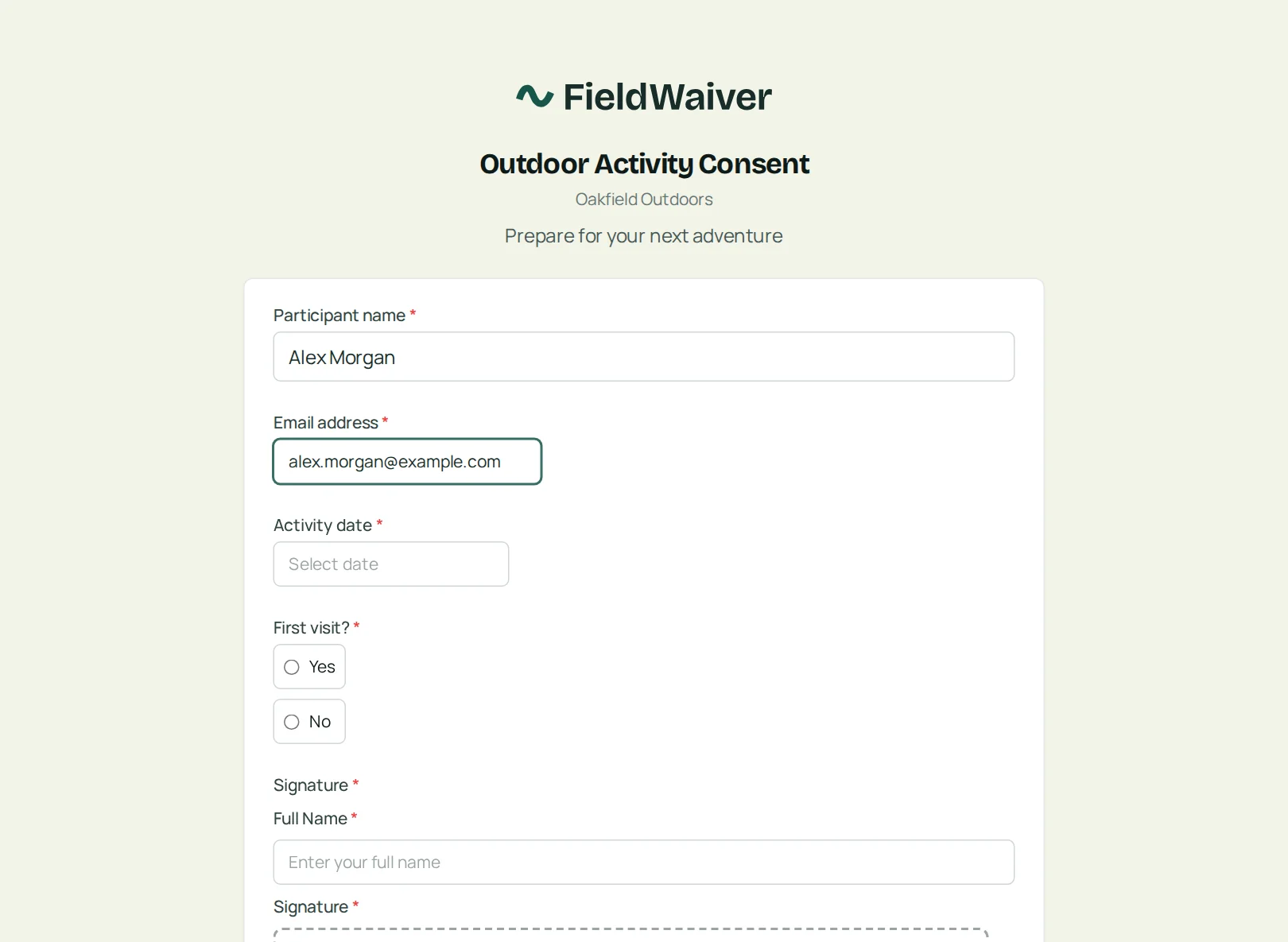
Good to know before you import
- Your wording, copied exactlyImport copies your wording word for word. Have a qualified adviser review the finished form, and read our guide on whether digital waivers are legally binding.
- PDF or WordUpload a PDF or a Word .docx file. Got an older .doc? Save it as .docx in Word first.
- Starting from scratch?Pick one of the ready-made templates instead.
Questions people ask
Something else? Ask us and we’ll reply within one working day, usually the same day.
Can I upload my existing waiver and turn it into an online form?
Yes. Choose New form, then From a PDF or Word file, and pick your approved document. FieldWaiver copies the wording in word for word and turns the fill-in lines at the end into form fields. You check it, add anything else you want to ask, and share it.
Will FieldWaiver change my waiver wording?
No. Every character comes from your document. The only changes are to layout. Lines the PDF wrapped are joined back into paragraphs, extra spaces are tidied, and a header or page number repeated on every page is kept once. Your clause numbers stay exactly as written.
How does the import read my file?
It reads the text in the file itself, and uses text recognition (OCR) for pages that are a scan or a picture, so every word is your own, which matters when the wording is a legal agreement.
Can I still download a PDF of each signed waiver?
Yes. Every signed submission can be downloaded as a PDF, with the wording, answers and signature, so you get the PDF back for your records without anyone filling in a PDF form.
Which files can I upload?
PDF files and Word documents saved as .docx, up to 20 MB. Scanned PDFs work too. An older Word .doc file needs saving as .docx first.
What happens to the Name, Signature and Date lines at the end?
Lines such as Email, Address, Phone or Date of birth become the matching form fields. Lines that the form already records, like the signature and the date it was signed, are left out so your customer is not asked twice.
Can I update the wording on a form I already have?
Yes. In the form builder you can fill a Static Text block from a PDF or Word file, so your legal wording stays identical to the version your adviser approved.
Support
Help from a UK team, whenever you need it
Ask from any screen in the app and we reply within one working day, usually the same day. Free plan included.
Switch without starting from scratch
Send us the paper, PDF or Word waiver you use now and we’ll set it up as a form for you, free.
Put your approved waiver online today
Start free, upload your document and have it ready to sign before your next session.
Free for 25 waivers a month for as long as you like, with no card needed.