Phone and tablet apps
The free digital waiver app for liability waivers, even with no signal
Put FieldWaiver on every phone and tablet at your check-in desk. Your staff collect waivers and electronic signatures when the Wi‑Fi drops, and every signed waiver uploads securely when you reconnect.
No card needed, and you’ll be signing waivers within minutes.
- Free on the App Store and Google Play
- iPhone and iPad on iOS 15 or later
- Android phones and tablets on Android 7.0 or later



- Works with no signal
- UK company, UK and EU data
- iPhone, iPad and Android apps
- Free for 25 waivers a month
No more clipboards when the Wi‑Fi fails
The app carries your forms on the device, so when the venue network or mobile signal drops the queue keeps moving and nobody falls back to a paper waiver. Your team opens it from the home screen like any other app, so new staff can start collecting on their first shift.
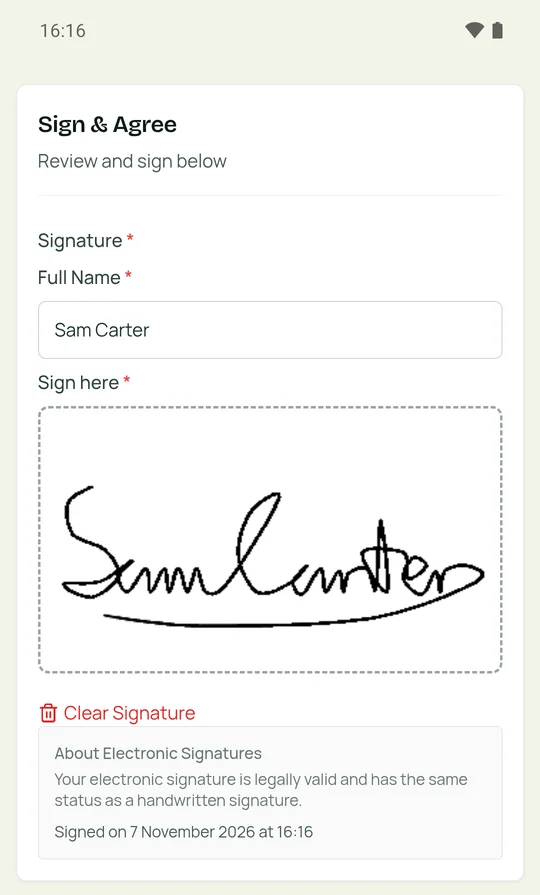
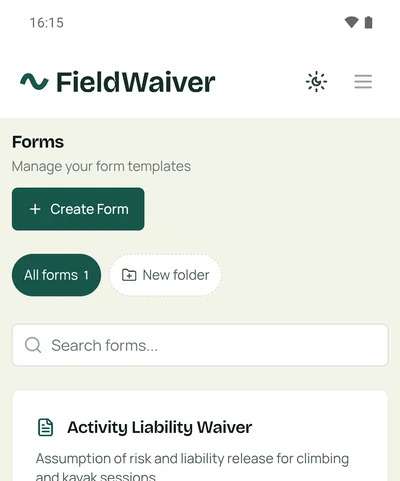
- Pick the waiver from your forms list.
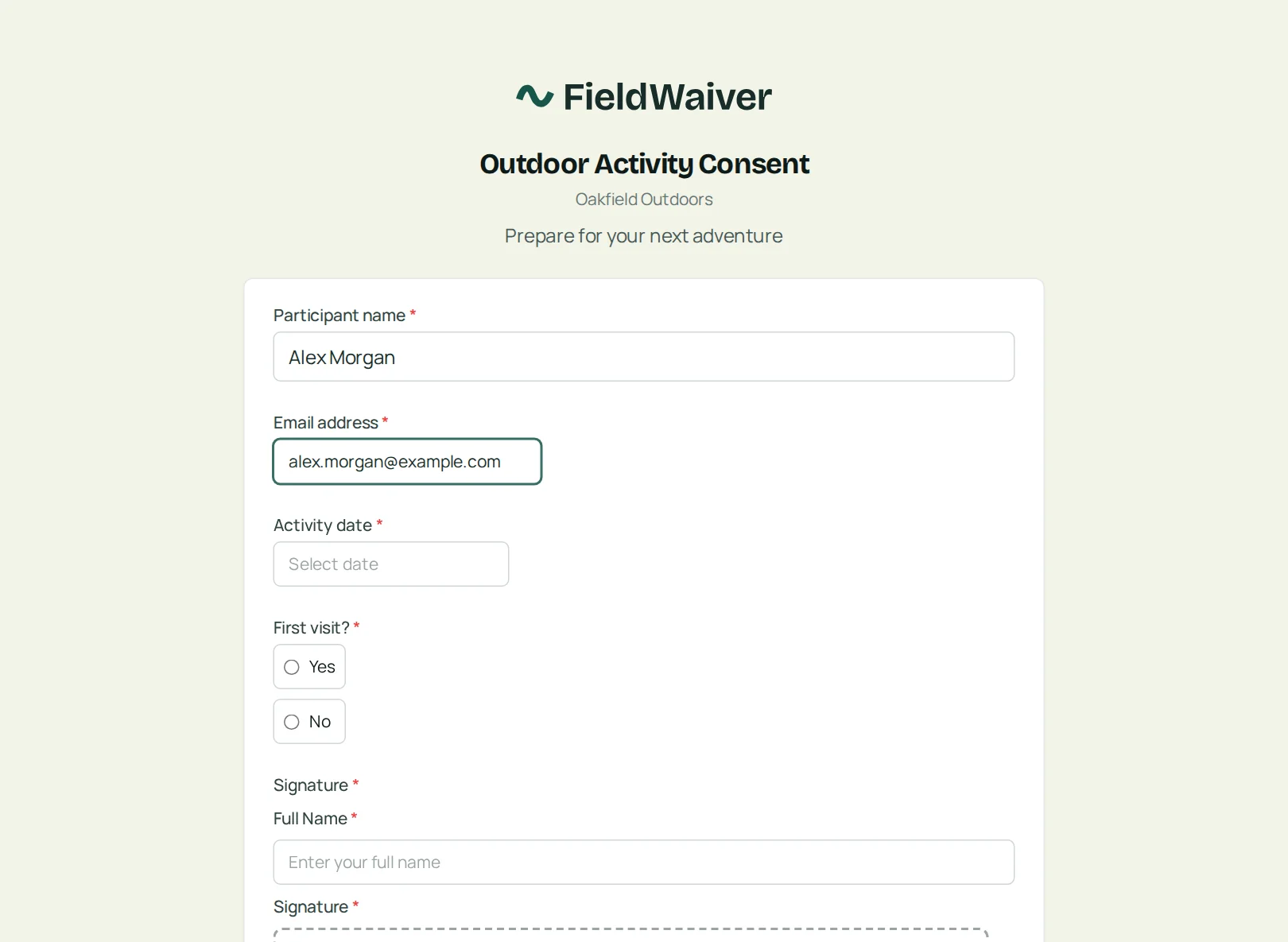
- Hand it over to fill in and sign.
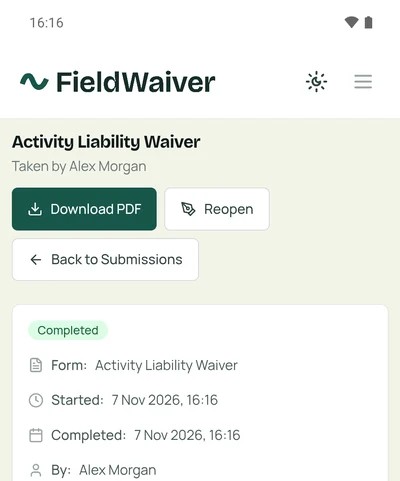
- Open the signed record and download or share its PDF when someone asks.
Everything the desk needs, on the device
-
See what’s still to upload
Each waiver is saved on the device first, and the app shows your staff anything still waiting, so nobody packs away too early.
Offline collection -
Families and groups
A parent adds each child on one form, with their own details and answers.
Group waivers -
Photos straight into the form
Take a photo of ID or kit with the front or back camera.
-
Questions that adapt
Extra questions appear only when they apply, such as for under‑18s.
-
As many devices as your queue needs
Run tablets and phones side by side, all feeding one account.
Several devices at once -
The same records in the office
Use the app on your tablets and the dashboard in a browser. Every waiver lands in the same account, ready to search or export.
Your customers sign without downloading anything
Customers never need an account or the app. The signature page is easy to use on any phone, and every route records their electronic signature against their answers.
- Before they arrive. Send a share link with the booking, so they sign on their own phone and walk straight in.
- At your desk. Hand them a tablet in kiosk mode. Each person signs and the form resets for the next.
- With a member of staff. Your team fills in the details and takes the signature on their own phone, which also works with no signal.
Ready at your desk in four steps
-
Download and sign in
Get FieldWaiver from the App Store or Google Play and sign in, or create a free account.
-
Choose your waiver
Start from one of the five built‑in waiver templates, or upload your existing PDF or Word waiver.
-
Start kiosk mode while online
That way the form is ready on the device before the signal goes.
-
Hand it to your first customer
People sign one after another, with or without signal.
Good to know before you roll it out
- Prefer the browser?Everything also works in a modern browser at app.fieldwaiver.com, free, including kiosk mode, PDF downloads and offline collection once signed in and prepared. The app is the safer choice where signal is weak. Building forms is easiest on a laptop.
- Private on every deviceEvery upload travels over an encrypted connection, and signing out wipes the app’s offline copy. See how we protect waivers.
- Access and deletion on your termsStaff have their own accounts, limited by role and folder. Handle requests with the GDPR tools and auto‑delete old records per form.
- Send every waiver onWebhooks and the API, on every paid plan, pass on each waiver whether it came from the app or a browser.
- Is it legally binding?An electronic signature on a release of liability is capable of being as valid as ink. Read are digital waivers legally binding.
- The app is free, plans set the volumeYou can collect from 25 waivers a month on Free to 25,000 on Enterprise, and paid plans never turn a signer away. See pricing.
Questions people ask
Something else? Ask us and we’ll reply within one working day, usually the same day.
Is there a free digital waiver app?
Yes. FieldWaiver is free to download on the App Store and Google Play, and the Free plan lets you collect up to 25 waivers a month with 3 forms at no cost. Paid plans start at £12 a month for 300 waivers, 3 users and unlimited forms.
Do my customers need to download the app to sign a waiver?
No. Customers sign an online waiver from a link or QR code on their own phone, or at your tablet in kiosk mode. Only your staff devices need the app, and even those can use a browser instead.
Does the waiver app work without internet?
Yes, on your staff devices. Once you have signed in and your forms have loaded, the app opens and keeps collecting with no signal. Each signature is saved on the device and uploads when you reconnect. Customers signing your link on their own phone can sign with no signal too, once they have opened the link.
Which phones and tablets does it run on?
iPhone and iPad on iOS or iPadOS 15 or later, published by Watts Digital Consulting Ltd, and Android phones and tablets on Android 7.0 or later. On anything else, use FieldWaiver in a modern browser.
How do I set up a digital waiver on a tablet?
Download the app, sign in, open the waiver you want and choose kiosk mode. Do this while you are online so the form is on the device. From then on your customers can sign one after another, with or without signal.
Is the app different from the website version?
It is the same FieldWaiver, with the same account and records. The difference is that the app carries everything it needs on the device, so it opens even in a dead zone. A browser has to load the page while it still has a connection.
Support
Help from a UK team, whenever you need it
Ask from any screen in the app and we reply within one working day, usually the same day. Free plan included.
Switch without starting from scratch
Send us the paper, PDF or Word waiver you use now and we’ll set it up as a form for you, free.
Get FieldWaiver on your devices
Free to download. Start on the Free plan and move up when your waiver volume grows.
Free for 25 waivers a month for as long as you like, with no card needed.