Integrations
Your bookings and waivers in step, with no copying by hand
Every booking sends its own waiver with the customer’s details filled in, and your booking system hears the moment it’s signed. Connect through Zapier, Make, your booking system’s webhooks or the FieldWaiver API.
No card needed, and you’ll be signing waivers within minutes.
- Zapier, Make and any app that can send a web request
- Signings and check-ins sent straight back to your systems
- Included with every paid plan, from £12 a month
- Works with no signal
- UK company, UK and EU data
- iPhone, iPad and Android apps
- Free for 25 waivers a month
Less admin on every booking
-
A waiver with every booking
Each new booking sends the customer a personal signing link, emailed by FieldWaiver or added to your own confirmation.
-
Details already filled in
Name, email and any other details from the booking are on the form when it opens, so your customer just checks and signs.
-
Bookings marked signed
The moment someone signs, your booking system is told, with your own booking reference attached.
-
The right list at the desk
Each session’s bookings appear on your check-in list, so staff can see at a glance who still needs to sign.
-
Waivers in your other tools
Send every signed waiver, answers included, on to your CRM, mailing list or spreadsheet.
-
Offline check-ins still reported
Signings and check-ins taken with no signal reach your systems as soon as the device is back online.
From booking to signed while you get on with the day
A customer books. Your booking system, or a Zapier or Make step, asks FieldWaiver for a signing request with the booking reference. Your customer signs on their own phone before they arrive, and the booking is marked signed.
- Send the same booking twice and nobody gets a second email.
- Find any signed waiver by your own booking reference.
- Send a session’s bookings again whenever they change, and nobody is added twice.
Booking 1042, Saturday 10:00
- Booking madeThu 18:02, Sam Taylor
- Waiver sentThu 18:02, details filled in
- Signed on Sam’s phoneThu 20:45
- Booking marked signedThu 20:45
- Checked in at the deskSat 09:52
Connect the way that suits you
-
Zapier
The FieldWaiver Zapier app sends a signing request for every new booking in your booking app. Signed waivers and check-ins can start Zaps of their own.
Zapier steps -
Make
Watch for new bookings and pass each one to FieldWaiver with an HTTP module, then send signed waivers on wherever you need them.
Make steps -
Your booking system’s webhooks
If your booking system can send a webhook, point it at Zapier or Make and every booking becomes a signing request.
Connect a booking system -
The FieldWaiver API
Your developer gets a REST API with an OpenAPI description, safe retries and a signed webhook for every event.
Webhooks and API -
Your AI assistant
Connect Claude Code, Cursor or any AI tool that speaks MCP with your API key, then just ask it to send a signing request, find who still needs to sign or check someone in.
Connect an AI assistant -
A link in your booking email
Add your waiver link to your booking confirmation with the customer’s name and email on the end, and it opens already filled in.
Share links -
Exports
Take every record whenever you like, as a CSV spreadsheet or a ZIP with a PDF of each signed waiver.
Exports and PDFs
Send a waiver for every booking with Zapier
No code needed, with the FieldWaiver Zapier app. Make works the same way with an HTTP module.
-
Add FieldWaiver to Zapier
Open FieldWaiver for Zapier and connect it with a read and write key from Settings, then API and webhooks.
-
Pick your booking app
In Zapier, start a Zap with your booking app’s new booking trigger.
-
Send the signing request
Add the FieldWaiver Send Signing Request action with the customer’s name, email and booking reference. FieldWaiver emails them their link.
-
Mark the booking signed
Start a second Zap from FieldWaiver’s Signing Request Signed trigger and use the booking reference it carries to update the booking.
Keep every session’s check-in list in step
For venues that run sessions, classes or heats.
-
Send the session list
Your booking system sends everyone booked on a session to that session in FieldWaiver, as often as bookings change.
-
See who still needs to sign
Anyone who has already signed shows as signed straight away, so you only chase the rest.
-
Hear about every arrival
Your system is told as each person signs and is checked in, including check-ins made offline once the device syncs.
Included with your plan
- Every paid plan, from £12 a monthThe API, signed webhooks, the MCP server for AI assistants and your Zapier and Make connections come with Starter, Pro, Business and Enterprise. See pricing.
- Booking-email links and exports on every planPrefilled waiver links and CSV, ZIP and PDF exports work on Free too.
- You hold the keysOrganisation owners create, name and revoke keys, read only or read and write, and each key only ever sees your own records.
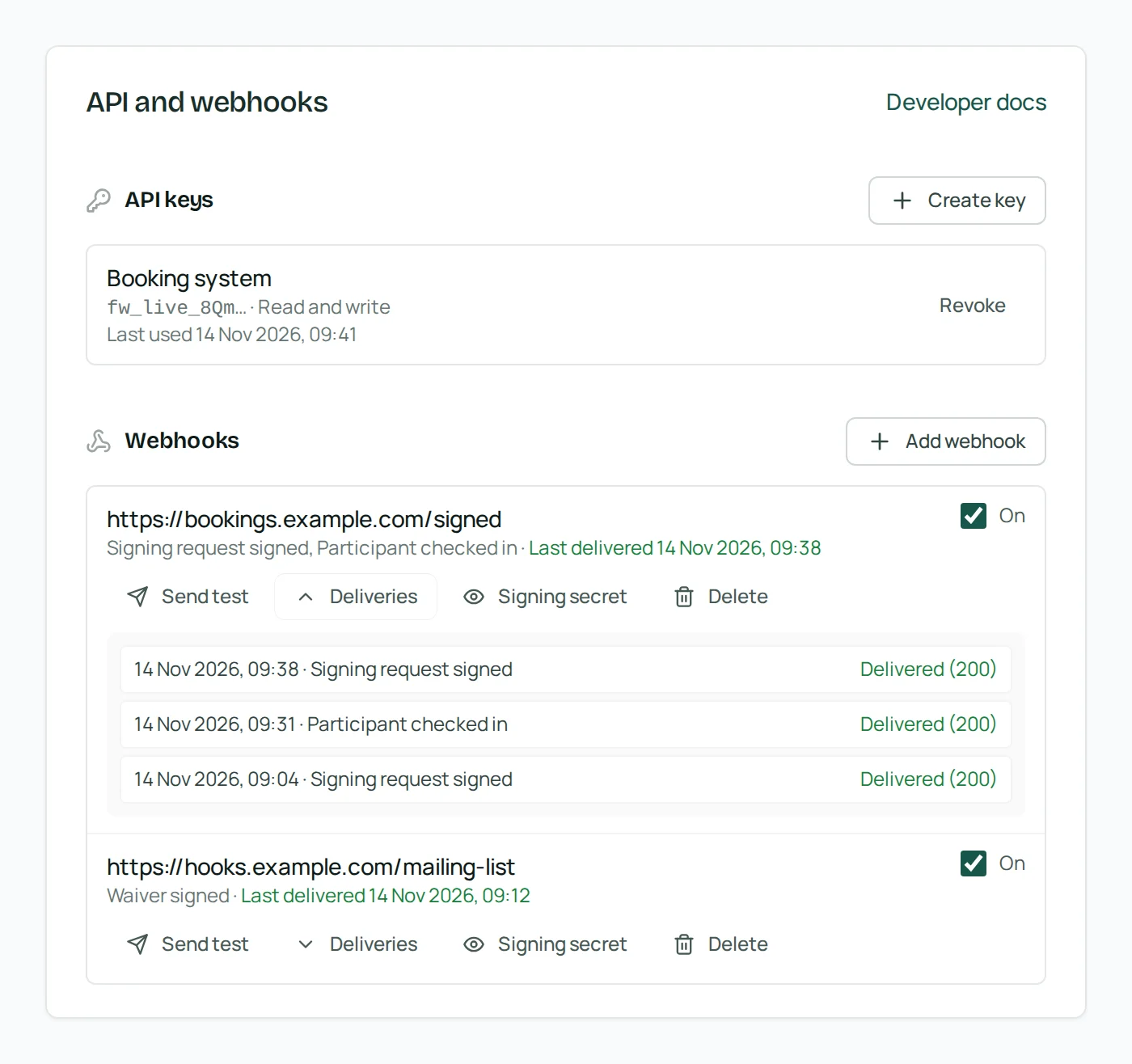
- Every event signed and loggedEach webhook carries a signature so your system knows it came from FieldWaiver, with retries for about two days and a delivery log in Settings.
Tell us what you’d like to connect
Name the tool and what should pass between it and FieldWaiver. Every request goes straight to the team that builds FieldWaiver and helps decide what we build next.
- Say which booking system, CRM or mailing list you use, and what you’d like to stop copying by hand.
- Happy to try it first? We’ll set it up with you and shape it around your feedback.
- Asking is free, on any plan.
Thanks, we’ve got your request
We’ll reply by email within one working day, usually the same day.
Questions people ask
Something else? Ask us and we’ll reply within one working day, usually the same day.
Will FieldWaiver work with my booking system?
Yes, if your booking system can send a webhook, connect to Zapier or Make, or put a link in its confirmation emails. Any one of those is enough to send a waiver with every booking. To connect something else, tell us what you’d like to connect.
Can I use FieldWaiver from an AI assistant?
Yes. FieldWaiver has an MCP server, so Claude Code, Cursor and other AI tools that support MCP can work with your account using an API key. Ask it to send a waiver for a booking, list who hasn’t signed for a session or check someone in. How to connect.
Do I need a developer?
No. Zapier and Make connect FieldWaiver to your booking app without code, and a prefilled link in your booking email only needs pasting in. A developer can use the API for anything more.
Which plans include integrations?
The API and webhooks come with every paid plan, from £12 a month. Prefilled links and exports work on every plan, Free included.
Is my customers’ data safe when it goes to other systems?
Each key only ever sees your own organisation’s records, keys can be read only, and every webhook is signed so your system can check it came from FieldWaiver. How we keep your data safe
What if my system is down when someone signs?
FieldWaiver keeps trying for about two days, and every attempt shows in the delivery log in Settings, where you can also retry by hand.
Let your bookings send their own waivers
Start free today, then connect your booking system on any paid plan.
Free for 25 waivers a month for as long as you like, with no card needed.