Signing record
A waiver audit trail that proves who signed what, and when
When an event organiser, insurer or manager asks whether everyone signed, answer in seconds. One signing record lists every signer for the event, or your whole organisation, ready to download.
No card needed, and you’ll be signing waivers within minutes.
- Included on every plan, Free too
- A PDF, a spreadsheet that opens in Excel, or emailed to you
- Times in your own time zone, printed on the file
What your signing record shows
- NameThe name typed into each signature, including everyone in a group or family waiver
- EmailThe signer’s email answer
- FormWhich waiver or form they completed
- CollectionThe event, site or job it belongs to
- StatusSigned, In progress or Draft
- Started and signedThe date and time of each
- Works with no signal
- UK company, UK and EU data
- iPhone, iPad and Android apps
- Free for 25 waivers a month
Answer “has everyone signed?” without digging
-
Prove it to an event organiser
Send the event organiser or venue one tidy PDF that shows everyone has signed, instead of a folder of files.
For event organisers -
Catch gaps before the session starts
In progress and Draft rows show who started but never finished, so your team can sort it at the desk.
-
Every form in one list
Adults, minors, spectators and staff forms all appear together for the event, not one export per form.
Group and family waivers
If there’s ever a claim, you have the proof
Show an insurer or auditor when a person signed and which form they signed, then download that exact signed waiver as a PDF.
- The exact wording the person saw when they signed, even if you have changed your waiver since.
- How they signed (drawn or typed, on their own phone through your link or on a staff device), with their IP address and device printed on the signed PDF.
- A fingerprint of the signed record, so you can show it hasn’t been altered.
- A check for any signed PDF. Upload it and FieldWaiver tells you whether it is exactly the file it issued or has been changed since.
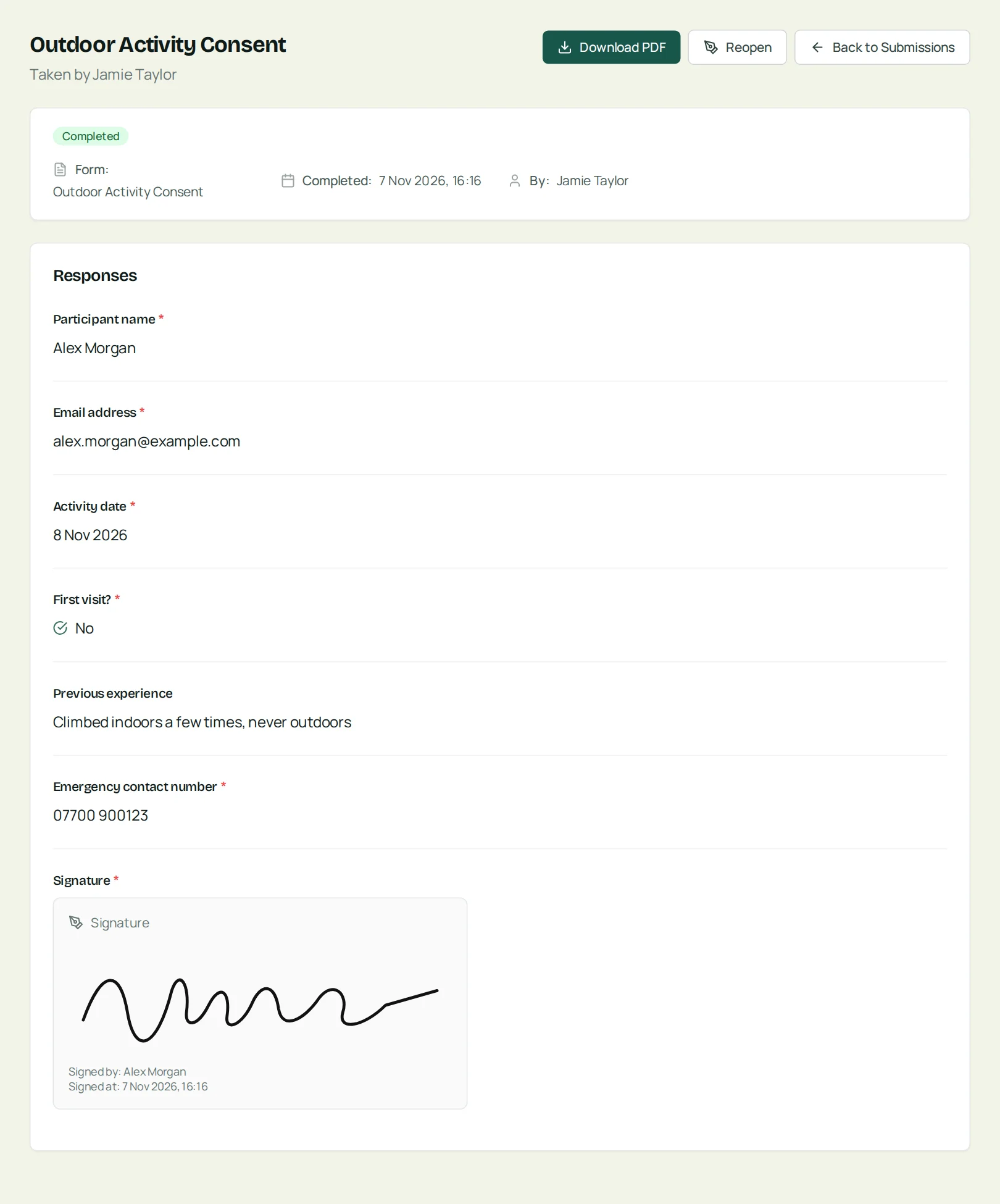
Download your signing record in three steps
Need a single signed waiver? Open the submission and choose Download PDF. Need every answer from one form? Use the CSV or ZIP export.
-
Pick the event
Open Submissions and choose the event in the collection menu, or leave it on all collections.
-
Choose the signing record
Open the export menu and choose Signing record (all forms).
-
Download or email it
Pick Download PDF, Download spreadsheet (CSV) or one of the Email me options.
Good to know before someone asks for it
- Owners produce itOrganisation owners create the signing record, so the person responsible for your records controls who takes copies away.
- Old waivers cleared on your scheduleEach form can delete its submissions automatically after the number of days you choose. Download the record first if you want a permanent copy. See how long to keep signed waivers.
- Have your wording checkedWhether a waiver holds up is a legal question for your activity. Our guide on whether digital waivers are legally binding covers the UK position.
Questions people ask
Something else? Ask us and we’ll reply within one working day, usually the same day.
What is a waiver audit trail?
It is a record you can produce on demand showing who signed which waiver and when. In FieldWaiver that is the signing record, with one row per signed form, with the signer, their email, the form, the event, the status and the exact start and signing times.
Can I see who has not finished signing yet?
Yes. Each row has a status of Signed, In progress or Draft, so you can spot anyone who started a waiver but did not finish it before they reach the desk.
Which time zone are the times in?
Your own. The record uses the time zone of the device you request it from and prints that zone on the file, so nobody has to convert from server time.
Can I send it to an event organiser or insurer?
Yes. Download it as a PDF or a spreadsheet, or have FieldWaiver email it to you, then forward it. Each signed waiver can also be downloaded as its own PDF if someone asks to see one.
Which plans include the signing record?
Every plan, including Free. Organisation owners can produce it, so the person responsible for your records stays in control of who takes copies away.
How is this different from exporting submissions?
An export gives you every answer on one form. The signing record gives you one view of who has signed, across every form in an event or your whole organisation.
You may also need
Support
Help from a UK team, whenever you need it
Ask from any screen in the app and we reply within one working day, usually the same day. Free plan included.
Switch without starting from scratch
Send us the paper, PDF or Word waiver you use now and we’ll set it up as a form for you, free.
Be ready the next time someone asks who signed
Start free and your signing record builds itself from the first waiver.
Free for 25 waivers a month for as long as you like, with no card needed.