Parental, photo, activity and health consent
A digital consent form app your customers can sign anywhere
Swap the clipboard for consent forms people sign on their own phone before they arrive, or on your tablet at the door. FieldWaiver is built for businesses, clubs and event organisers that collect consent on site, and your staff devices keep working with no internet.
No card needed, and you’ll be signing waivers within minutes.
- A parent signs one form for several children
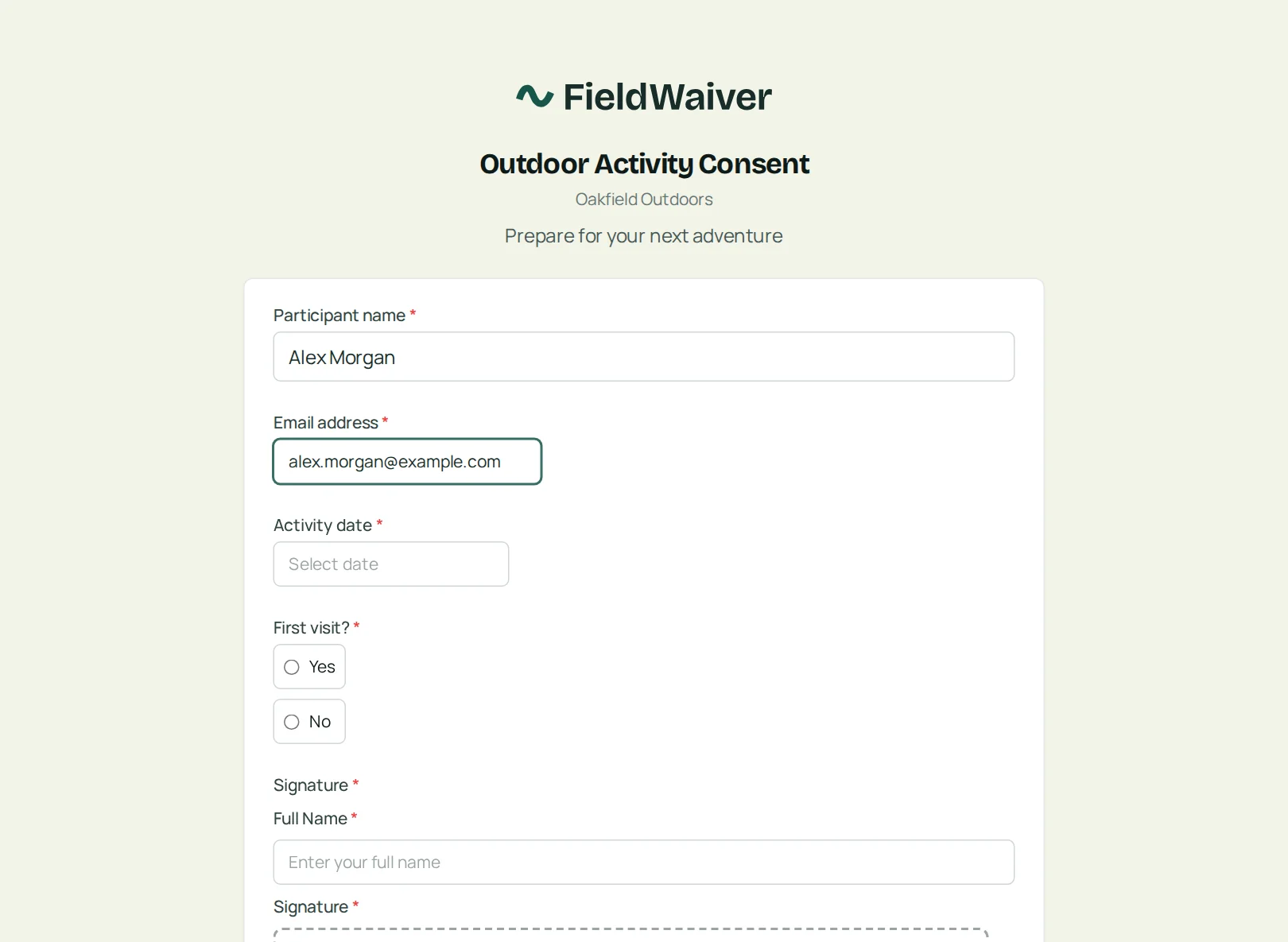
- Build the form once, share it by link, QR code or tablet
- Works with no signal
- UK company, UK and EU data
- iPhone, iPad and Android apps
- Free for 25 waivers a month
Every consent form you collect, in one app
-
Parental consent
School trips, holiday clubs, parties and junior sessions. A parent adds each child, their medical notes and emergency contact, and signs once.
Family forms -
Activity and participation consent
Climbing, water sports, karting and fitness classes, with the risks explained above the signature.
-
Photo and video consent
Ask whether you can use someone’s image for marketing, with a clear yes or no recorded against their name.
Model release forms -
Health and medical declarations
Pre-activity health questions where extra questions only appear when someone answers yes, so most people finish in a minute.
-
Equipment hire agreements
Bikes, boards and boats, with a photo of the ID or the kit captured on the form.
-
Volunteer and contributor releases
Releases for volunteers, performers or contributors at events, signed on arrival even in a field with no signal.
Why a digital consent process beats paper forms
- Missing answers
- Paper
Spotted later, if at all - FieldWaiver
Required fields must be filled before signing - Proof of consent
- Paper
A signature, maybe a date - FieldWaiver
Consent wording, signature, and the date and time it was given - Before people arrive
- Paper
Printed and posted, or done at the desk - FieldWaiver
Signed from a link or QR code with the booking - No signal on site
- Paper
Works - FieldWaiver
Also works, on staff devices - Finding one later
- Paper
Search the storeroom - FieldWaiver
Search by name, or download the PDF - A copy for the signer
- Paper
Photocopy, rarely given - FieldWaiver
Copy emailed automatically - Who can see it
- Paper
Anyone near the filing cabinet - FieldWaiver
Access controls by staff role and folder
Have your online consent form ready in four steps
-
Start from a template or your own form
Create a free account, then pick a built-in template or upload your existing consent form as a PDF or Word file.
-
Add your questions
Add what you need, and use conditional logic so follow-ups only appear when relevant.
-
Write your consent statement
Turn on the consent checkbox in Form Settings and write the statement people must agree to.
-
Share it
Send it as a link or QR code, or open it in kiosk mode on a tablet.
Look after the personal details your consent forms hold
Consent forms often hold health details and information about children, which is personal data under UK GDPR, so data protection matters as much as the form itself. Informed consent means people understand what they’re agreeing to, so keep the wording plain and the material risks clear.
- Everything is sent over encrypted connections.
- Each member of staff has their own sign-in with role-based access, and you can restrict people to selected form folders.
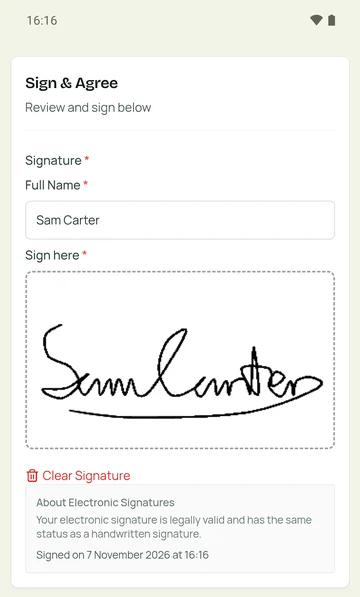
- Each submission keeps the consent statement and electronic signature, giving your consent management an audit trail. Owners can download a signing record across every form.
- Handle deletion requests with GDPR tools, and set each form to delete automatically once you no longer need it. Our guide on how long to keep signed waivers explains the UK time limits.

Questions people ask
Something else? Ask us and we’ll reply within one working day, usually the same day.
What is a digital consent form?
A digital consent form is a consent form people complete and sign on a phone, tablet or computer instead of paper. It records who gave consent, what wording they saw and exactly when, and keeps a copy you can find again in seconds.
Is there a consent form app that works offline?
Yes. FieldWaiver is free on the App Store and Google Play, and your staff devices keep collecting consent forms with no signal. Each form is saved on the device and uploads when you reconnect.
Can a parent give consent for more than one child on one form?
Yes. A group section lets a parent or guardian add each child in turn, with their own details and answers, in a single submission.
Do people need an account or an app to sign?
No. They open your online consent form from a link or QR code, or sign on your tablet. Only your staff use the FieldWaiver app.
Can I use the consent form we already have?
Yes. Upload it as a PDF or Word file and FieldWaiver copies the wording in word for word, then turns the fill-in lines into form fields.
How much does it cost?
The Free plan covers three forms and 25 submissions a month. Starter is £12 a month for 300 submissions, three users and unlimited forms. See pricing for every limit.
You may also need
Put your consent forms on every phone and tablet
Start free from a template or the consent form you already use.
Free for 25 waivers a month for as long as you like, with no card needed.